ScanarX
- Mr. Doe - The Manager: “I want all receipts sent to me as CSV, PDF or Text”
- Mr. X - The Accountant: “I want all my receipts on my phone for privacy…”
- Travis - the Taxi Driver: “I want to send all my receipts once a month at the garage”
- Jim Cashie - Cashier: “I want to scan hundreds of receipts, day and night!”
- The Archivist: “I want to auto categorize all my receipts”
- John: “I want to occasionally scan gas station receipts”
- Christie: “I want a simple easy to use interface…”
Well, good news guys! All your demands and even more, are available in ScanarX Smart Receipt Scanner! The smart receipt scanner from space(X)! For less than half the price of a coffee, you’ll scan your favourite receipts for life!
ScanarX — Privacy‑first Receipt Scanner
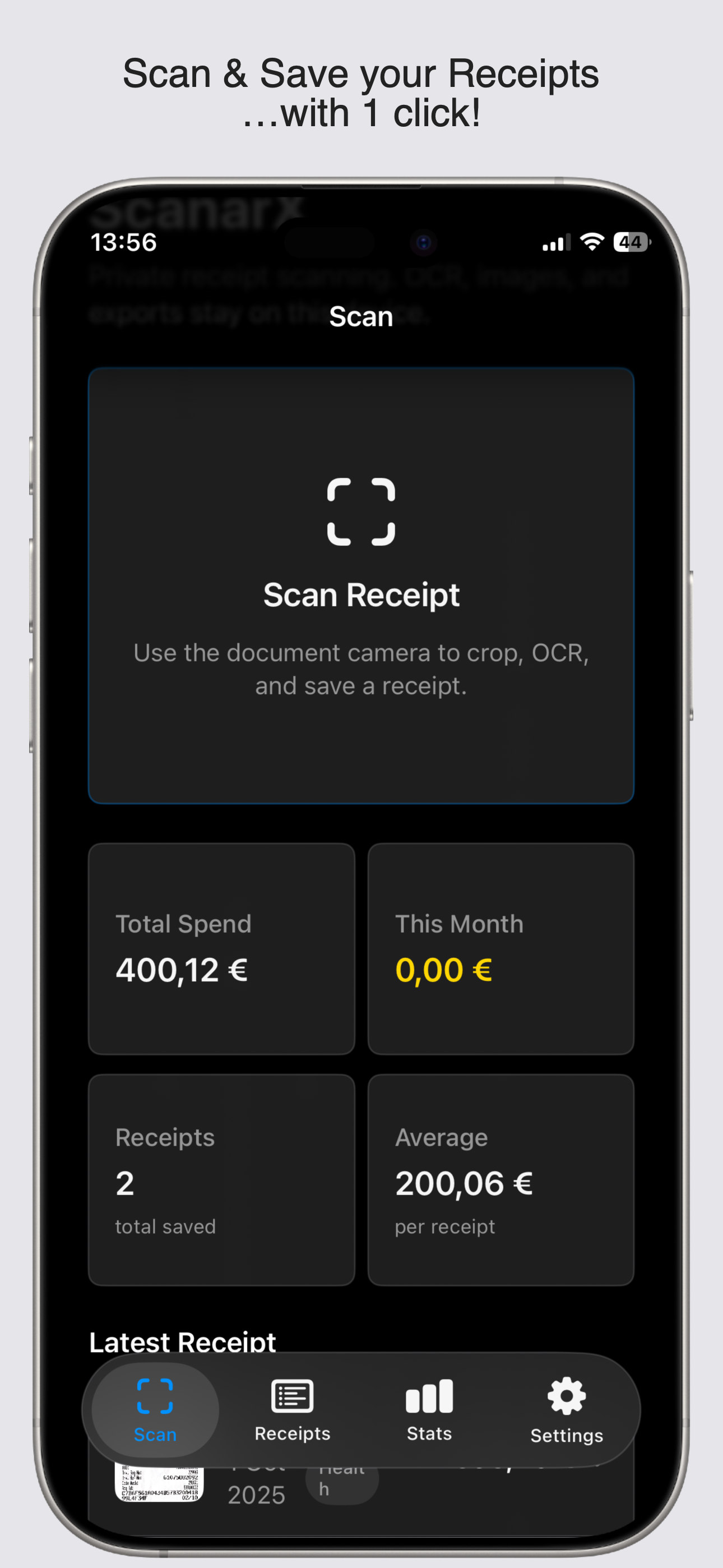
ScanarX is a lightweight, local‑first receipt scanner and analytics app for iPhone and iPad. Scan receipts with the device camera, run on‑device OCR and parsing, categorize expenses, and export CSV/PDF — all stored locally by default.
Features
- On‑device scanning & OCR — document camera, auto‑crop, perspective correction, and local OCR.
- Deterministic parsing — extracts totals, dates, merchant names, taxes, and payment methods.
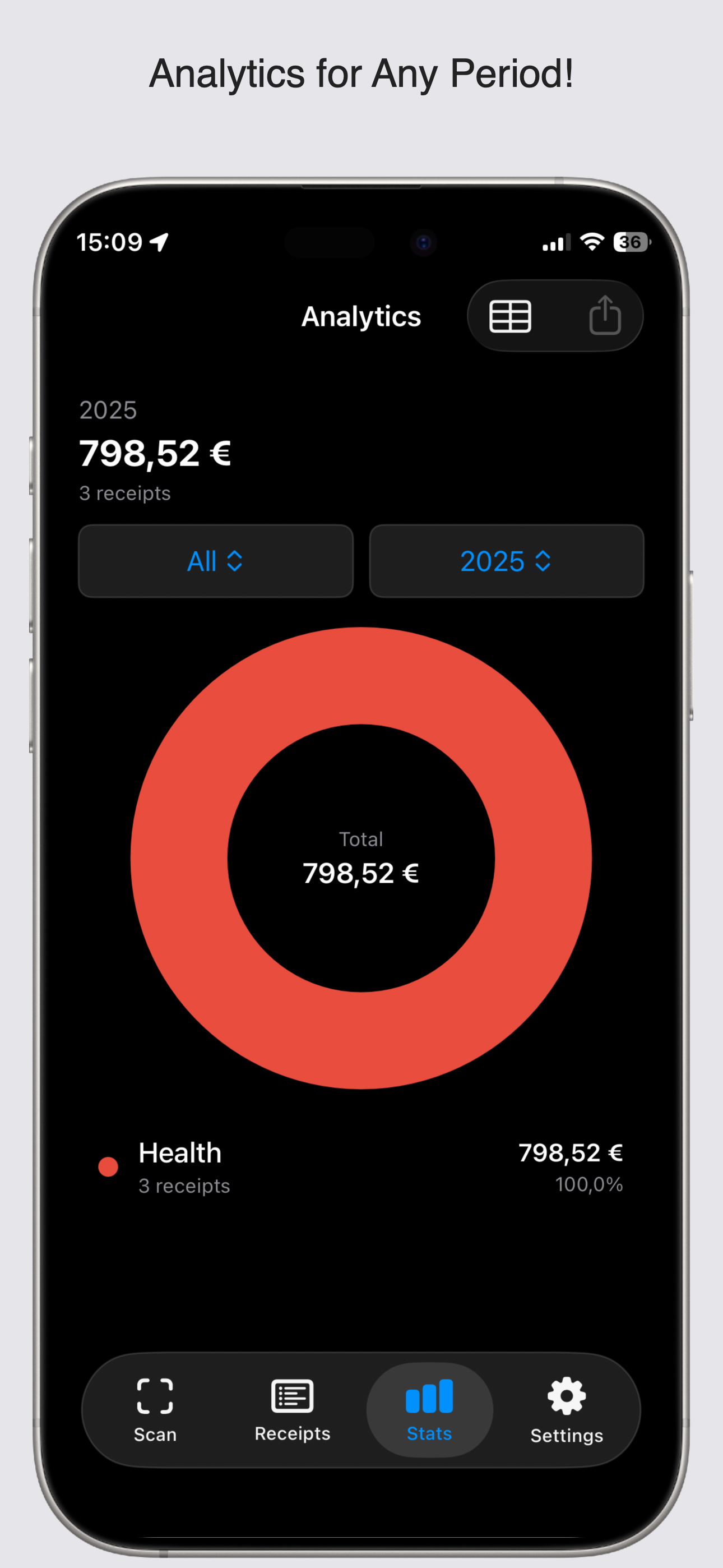
- Category analytics — donut charts, category rows, monthly/yearly pickers, and per‑category exports.
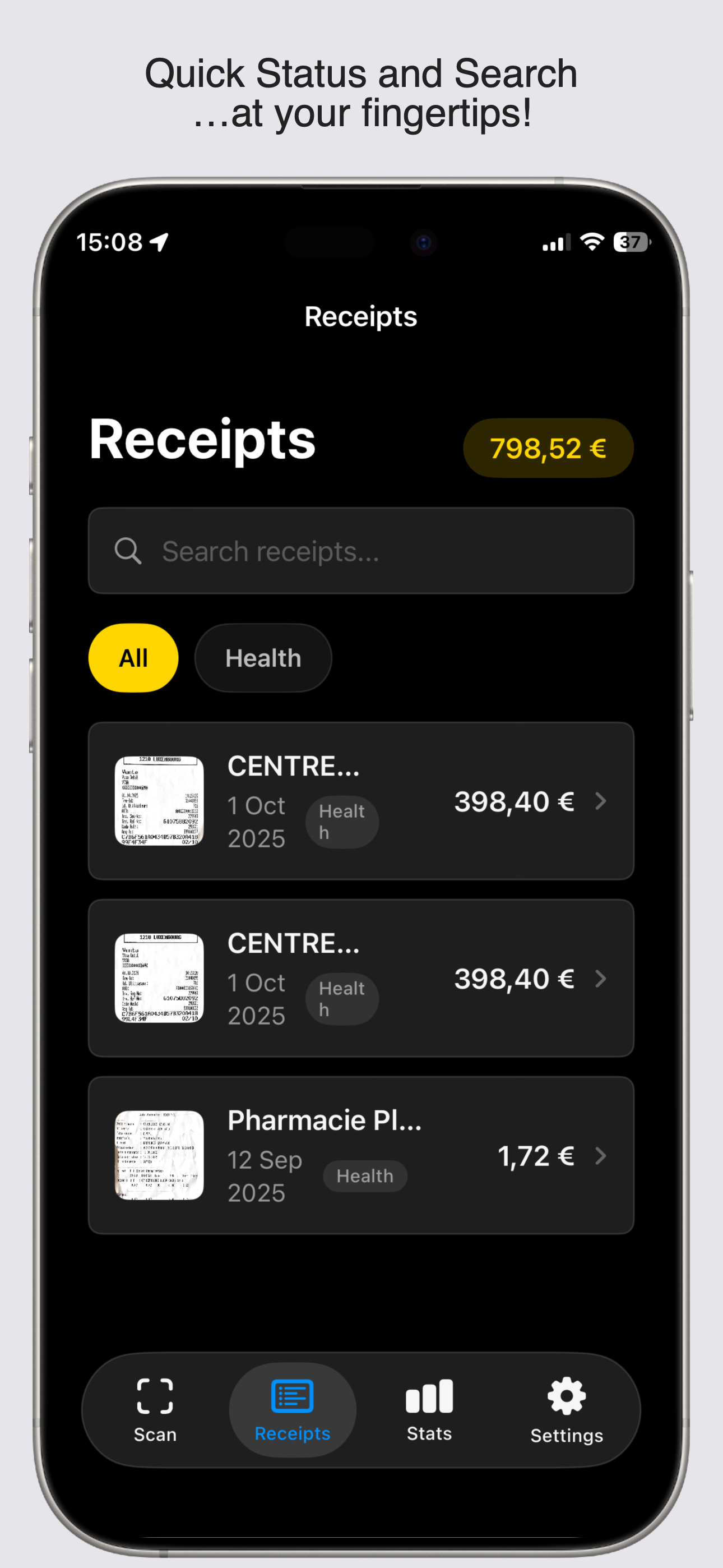
- Flexible exports — CSV for periods or categories, PDF per receipt, and share image + OCR text.
- Local‑first privacy — scans, OCR results, parsed fields, and exports remain on the device unless you explicitly share or export.
- Optional on‑device AI — Apple Intelligence classification when available and enabled (device dependent).
- Widget support — optional App Group for a small shared cache between app and widget.
- Robust settings — default currency, default category, export month selector, and full data clear option.
- Accessibility — VoiceOver labels and dynamic type support.
- Simple monetization — one‑time paid app (no subscriptions required).
Download & Install
App Store
ScanarX is distributed as a one‑time purchase on the App Store.
Privacy & Terms
- Default behavior: All data is stored locally on the device. No account is required.
- Optional network features: Exchange‑rate lookups or cloud backup are strictly opt‑in and clearly disclosed.
- Data deletion:
Settings → Data → Clear All Receiptspermanently deletes local data after confirmation.
Languages (localized)
ScanarX is translated into the following languages. Flags are shown as a quick visual reference.
| Flag | Language |
|---|---|
| 🇬🇧 / 🇺🇸 | English |
| 🇦🇪 | Arabic (United Arab Emirates) |
| 🇧🇬 | Bulgarian |
| 🇨🇳 | Chinese (Simplified) |
| 🇹🇼 | Chinese (Traditional) |
| 🇭🇷 | Croatian |
| 🇨🇿 | Czech |
| 🇩🇰 | Danish |
| 🇳🇱 | Dutch |
| 🇫🇮 | Finnish |
| 🇫🇷 | French |
| 🇨🇦 | French (Canada) |
| 🇩🇪 | German |
| 🇬🇷 | Greek |
| 🇮🇳 | Hindi |
| 🇭🇺 | Hungarian |
| 🇮🇩 | Indonesian |
| 🇮🇹 | Italian |
| 🇯🇵 | Japanese |
| 🇰🇷 | Korean |
| 🇱🇹 | Lithuanian |
| 🇵🇱 | Polish |
| 🇧🇷 | Portuguese (Brazil) |
| 🇵🇹 | Portuguese (Portugal) |
| 🇷🇴 | Romanian |
| 🇷🇺 | Russian |
| 🇸🇮 | Slovenian |
| 🇪🇸 | Spanish |
| 🇺🇸 | Spanish (United States) |
| 🇸🇪 | Swedish |
| 🇹🇷 | Turkish |
| 🇺🇦 | Ukrainian |
| 🇻🇳 | Vietnamese |
Quick troubleshooting tips
- Camera permission:
Settings → Privacy → Camera - Photo library:
Settings → Privacy → Photos - Apple Intelligence features: require device support and iOS model downloads (iOS 26 for FoundationModels)