UIComposerStudio
The Visual UI Builder That Turns Ideas Into Real iOS Screens — Right From Your Mac 💡📱
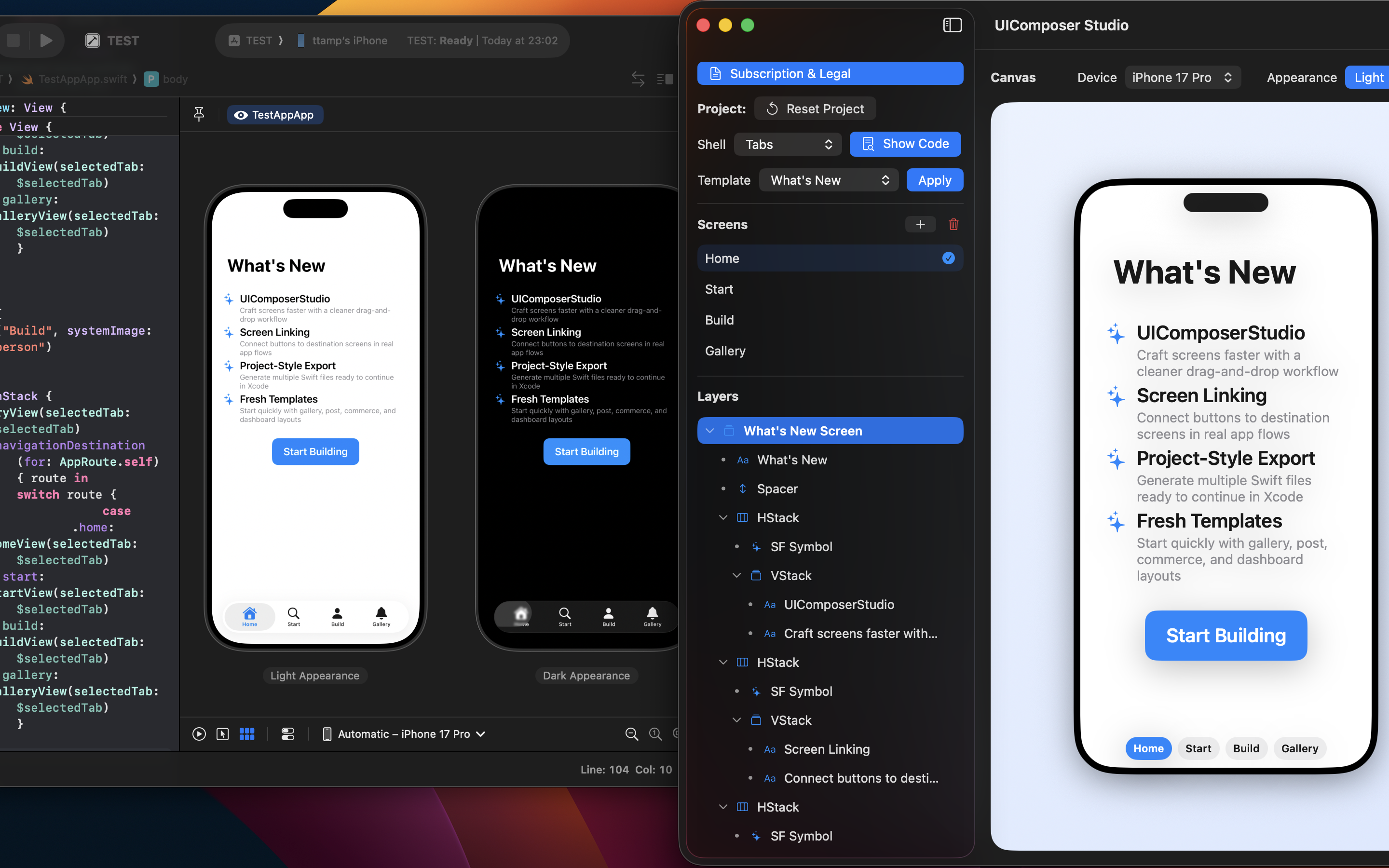
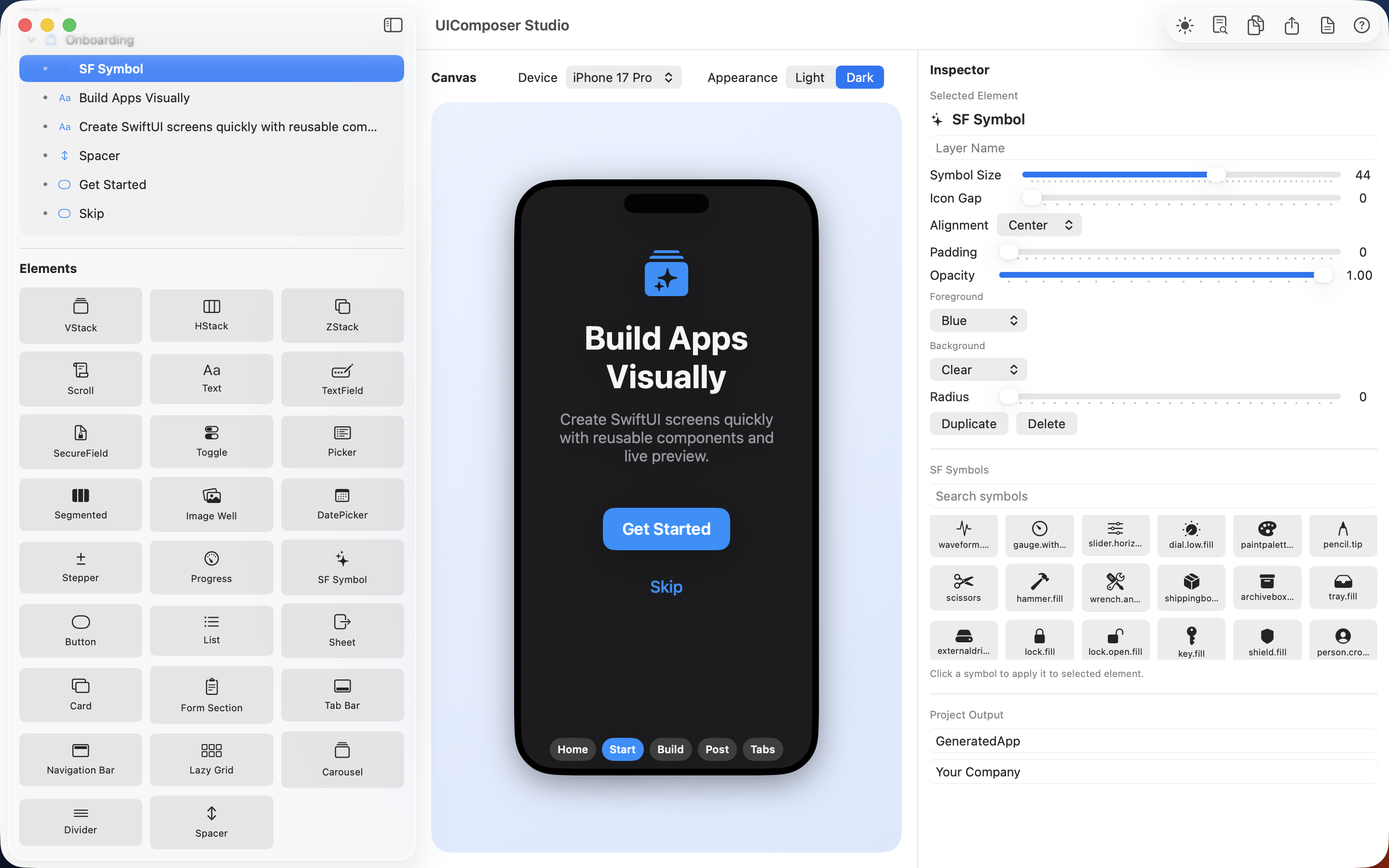
UIComposerStudio is your all‑in‑one macOS app for designing iOS interfaces visually, previewing them instantly in real iPhone frames, and exporting production‑ready files you can drop straight into Xcode or Playgrounds.
✨ Why UIComposerStudio Exists
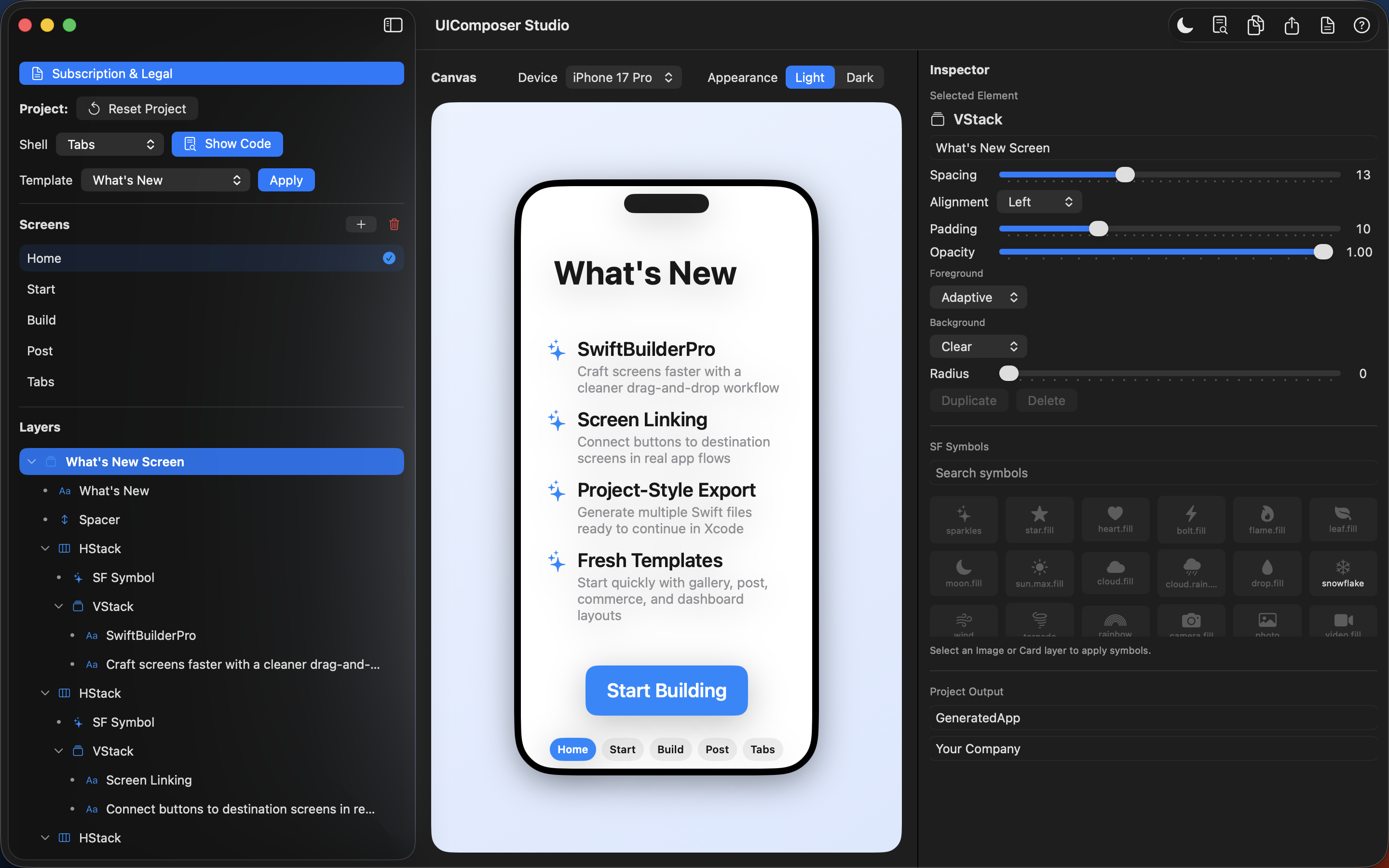
Building iOS screens shouldn’t require hours of boilerplate or a physical device. UIComposerStudio gives you a visual canvas, real device previews, and instant iOS export, so you can focus on creativity — not syntax.
Perfect for:
- Designers who want real Swift output
- Developers who want to prototype faster
- Indie creators building their first iOS app
- Teams who need quick UI flows for demos
🎯 Core Value at a Glance
- No coding required to start building real app screens
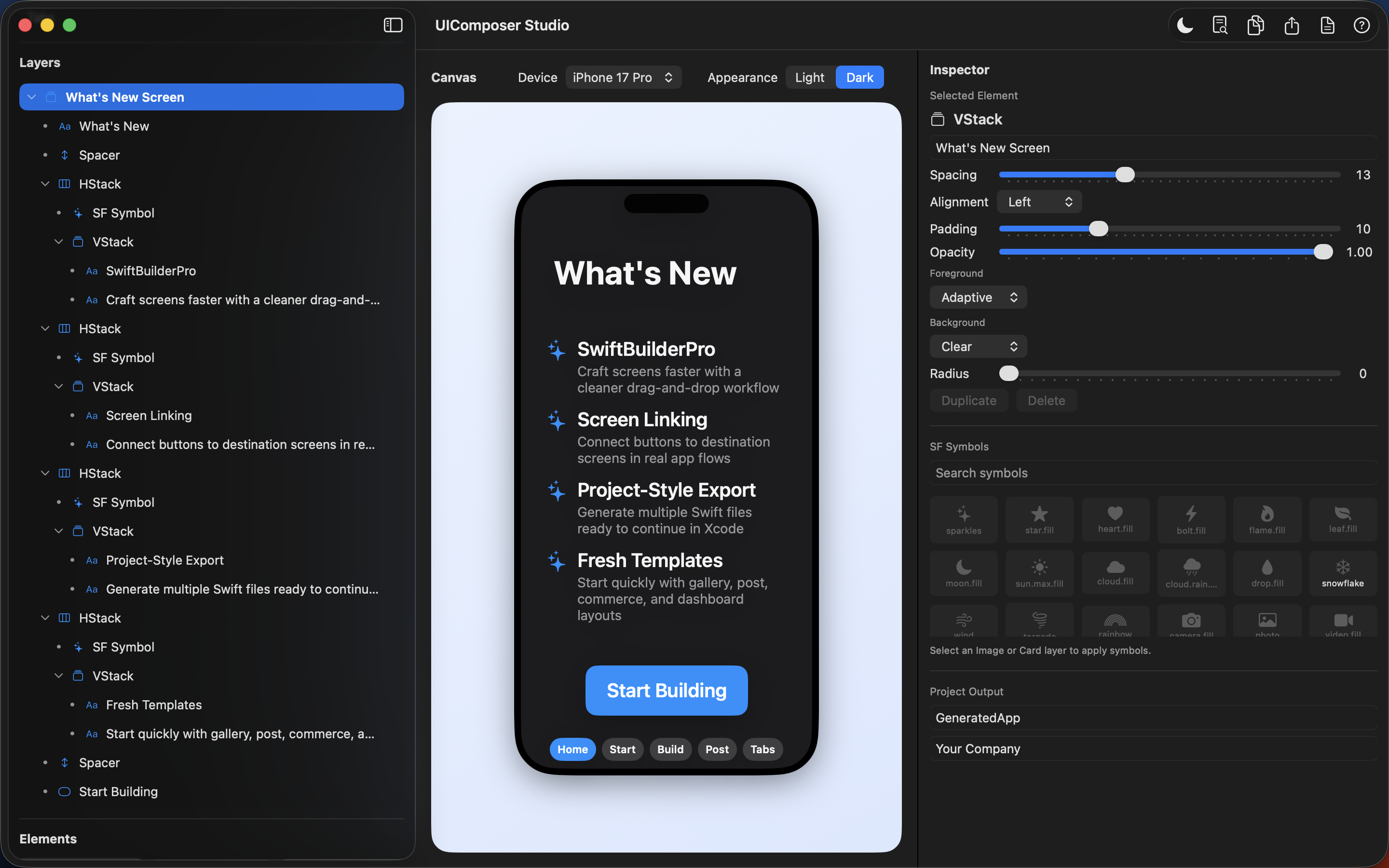
- No iPhone needed thanks to built‑in device previews
- Lightning‑fast iteration with templates, layers, and inspector controls
- Export Swift files ready for Xcode or Playgrounds
🧩 Main Features
🗂️ Projects & Workspace
Create, save, and continue your UI projects effortlessly.
- Start from visual templates
- Set app name & organization for generated files
- Save/load workspace snapshots
- Continue editing across sessions
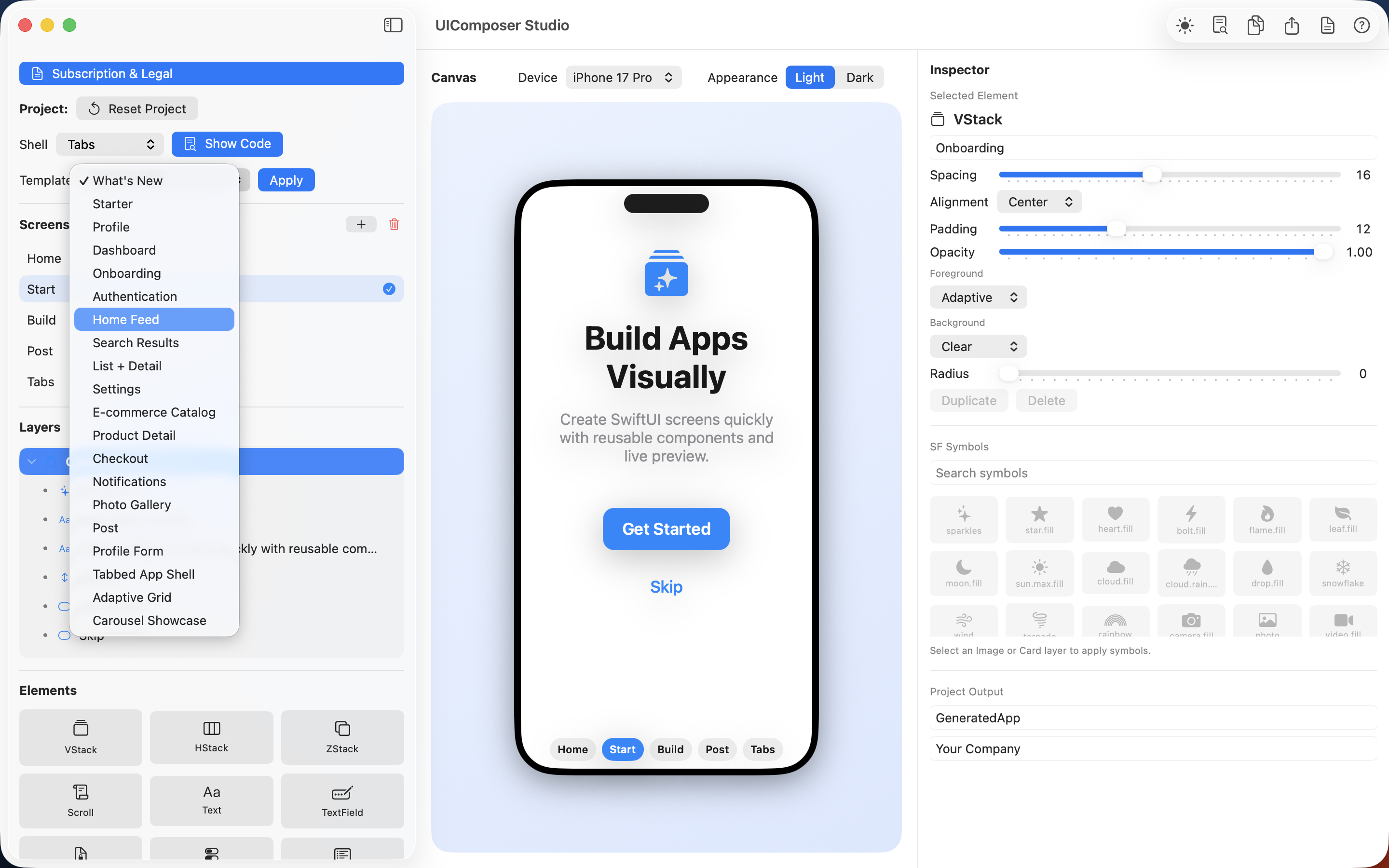
🎨 20 Ready‑Made Templates
Jump‑start your UI with professionally structured screens:
- What’s New
- Starter
- Profile
- Dashboard
- Onboarding
- Authentication
- Home Feed
- Search Results
- List + Detail
- Settings
- E‑commerce Catalog
- Product Detail
- Checkout
- Notifications
- Photo Gallery
- Post
- Profile Form
- Tabbed App Shell
- Adaptive Grid
- Carousel Showcase
🧭 Screens & Navigation
Build real app flows visually:
- Add, rename, delete screens
- Connect buttons to destinations
- Prototype realistic navigation
- Choose shell type: Single, Navigation, or Tabs
🧱 Layers & Inspector Controls
A full visual editing environment:
- Drag‑and‑drop layer tree
- Text, fonts, spacing, alignment
- Padding, opacity, corner radius
- Foreground/background colors
- Element‑specific controls (pickers, steppers, date settings, destinations)
🧩 22 Swift UI Elements Included
VStack • HStack • ZStack • Scroll • Text • TextField • SecureField • Toggle • Picker • DatePicker • Stepper • Progress • SF Symbol • Button • Card • Form Section • Tab Bar • Navigation Bar • Lazy Grid • Carousel • Divider • Spacer
📱 Device Preview — Instantly See Your UI
Preview your design in real iPhone frames:
- iPhone SE
- iPhone 16 / 16 Pro / 16 Pro Max
- iPhone 17e / 17 / 17 Pro / 17 Pro Max
- iPhone Air
- Light/Dark mode
- Full navigation flow testing
🔍 SF Symbols Integration
- Search symbols
- Apply instantly to UI elements
- Pro unlocks the full symbol library
📤 Export SwiftUI Code
Your design becomes real SwiftUI:
- View generated code inside the app
- Copy to clipboard
- Export Swift files for Xcode or Playgrounds
💎 Free vs Pro
🆓 Free Tier
- Core templates
- Core elements
- Up to 3 screens
- Single preview device (iPhone 16)
- Local workspace save/load
⭐ Pro Subscription
- All 20 templates
- All 22 elements
- Full device presets
- Full SF Symbols access
- Unlimited screens
- Full export workflow
🌍 Localization
UIComposerStudio speaks 19 languages, including English, Greek, Romanian, Japanese, Arabic, Chinese (Simplified & Traditional), and more.
🛒 In‑App Purchases
- Monthly & yearly subscriptions
- Restore Purchases
- Manage Subscription via Apple settings
🛠️ Tech Stack
- macOS app
- Swift + SwiftUI
- Exports SwiftUI/iOS code